


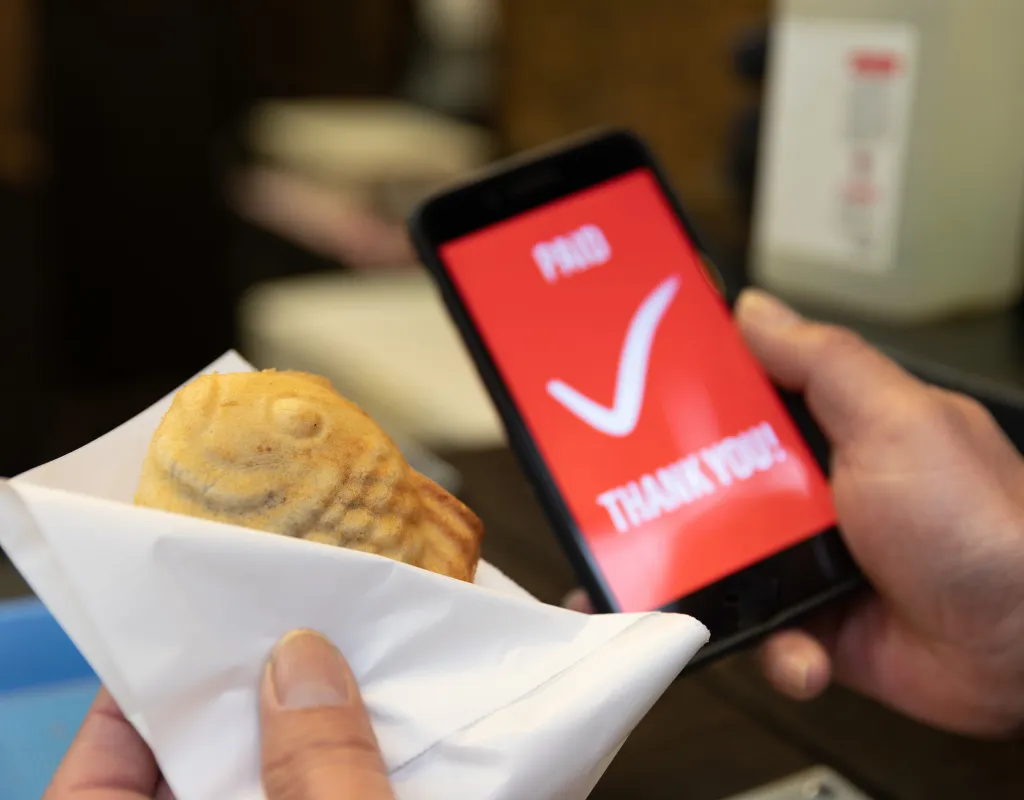
If you’ve just started working in Japan, the country’s reliance on cash can catch you off guard. And even once you know that smartphone payments exist, it’s natural to wonder — can I actually sign up as a foreigner? Will my overseas card work?
PayPay is Japan’s most widely used payment app, and yes, foreign residents can use it too. This guide covers everything in one place: what PayPay is, who can sign up, how to get set up and make your first payment, and smart ways to save money with it — including tips straight from a certified financial planner.
About the Supervisor & Writer
Supervisor
Masamichi Takayanagi
Financial Planner & columnist;
An independent financial planner with extensive experience as a financial columnist, specializing in a wide range of topics including asset management, life insurance, inheritance, loan products, and credit cards. Over 1,000 articles and projects have been contributed to the field.
1st grade Certified Skilled Professional of Financial Planning, Certified Financial Planner®.
Table of Contents
Chapter 1: What Is PayPay in Japan?
PayPay is Japan’s largest QR code payment app, letting you pay for almost anything using just your phone. It’s run by PayPay Corporation, which was built from the partnership between SoftBank and LINEYahoo.
As of May 2026, PayPay in Japan has over 74 million registered users — that’s more than one in every two people in the country. It’s accepted at stores right across Japan, and the merchant network keeps growing.
Within Japan’s QR code payment market, PayPay holds around a 70% share. Some surveys put its usage rate at 56%, making it the single most-used cashless payment service in the country. At this point, it’s less a trend and more just part of daily life.
For foreign residents, PayPay in Japan is one of the more accessible options out there. The app has an English mode, so you don’t need to be confident in Japanese to get started. To switch, tap the account icon at the bottom right of the screen, go to language settings, and select either 日本語 or English.
Source: PayPay Corporation — QR Code Payment Service Overview

Chapter 2: Can Foreigners Use PayPay in Japan?
Yes — foreigners can use PayPay in Japan without any issues. The basic requirements are a Japanese mobile phone number and an email address you can access.
Verifying your identity unlocks a wider range of features, including sending money and paying taxes. Since 2024, foreign residents have been able to complete identity verification using the IC chip on their residence card or special permanent resident certificate.
If you’ve already started working in Japan, you’ll most likely have everything you need:
- A Japanese mobile number that can receive SMS
- An email address for notifications and account management
- An identity document — residence card, special permanent resident certificate, or My Number Card
Your Japanese mobile number is the essential piece. You’ll use it to receive a verification code when creating your account. Adding an email address is useful for notifications and account-related communications, and completing identity verification opens up features like money transfers and bill payments.
There are several ways to top up your PayPay balance, and which options are available to you will depend on your situation:
Source: PayPay Corporation — Identity Verification via Residence Card IC Chip
| Top-Up Method | Available to Foreigners? |
|---|---|
|
Japanese bank account |
Yes (must be in your own name) |
|
PayPay Card |
Yes (subject to card application and approval) |
|
Overseas-issued credit card |
No |
|
Convenience store ATM |
Yes |
Chapter 3: How to Download PayPay in Japan?
Downloading PayPay in Japan works slightly differently depending on whether you’re using an Android or an iPhone.
Android
On Android, get the app from the Google Play Store. Search for “PayPay” and look for the official app published by PayPay Corporation. Tap Install and the app will download automatically, adding an icon to your home screen. A stable Wi-Fi connection will keep things moving smoothly — and like most apps, it’s completely free to download. Once it’s installed, open the app and follow the on-screen prompts to get started.
iPhone
On iPhone, download PayPay from the App Store. Search for “PayPay,” confirm that the developer is listed as PayPay Corporation, then tap Get. Authenticate with Face ID or your passcode and the download will begin. Once the icon appears on your home screen, you’re ready to move on to setup.
Chapter 4: How to Register for PayPay
Registration is straightforward and takes just a few minutes once you know the steps. Here’s how it works:
- Download the PayPay app from the App Store or Google Play and open it
- Enter your Japanese mobile number and type in the verification code sent to you by SMS
- Link a Japanese bank account or PayPay Card to top up your balance
- Complete identity verification using your residence card or other accepted document to unlock the full range of features, including money transfers and bill payments
It’s worth completing identity verification during the initial setup rather than coming back to it later — it takes only a few extra minutes and opens up significantly more of what PayPay in Japan has to offer.

Before anything else, let the staff know you’d like to pay with PayPay — a simple “PayPay de onegaishimasu” (PayPayでお願いします) will do. From there, the process depends on which payment method the store uses.
Barcode Payment
Barcode payment means showing your screen to the cashier for them to scan. Here’s how:
- From the PayPay home screen, tap “Pay” to bring up your barcode and number
- Hold your screen up to face the cashier
- They’ll scan it at the register — once you hear the “PayPay” chime and see the confirmation screen, you’re done
Most major convenience stores and supermarkets use barcode payment, so this will be your most common experience day to day.
QR Code Payment (Scan to Pay)
QR code payment works the other way around — you scan the store’s code and enter the amount yourself. Here’s how:
- From the PayPay home screen, tap “Scan” and point your camera at the QR code near the register
- Once it’s read, enter the exact amount you’ve been charged
- Show the screen to the staff for confirmation, then tap “Pay” to complete the transaction
This method is more common at smaller restaurants and independent shops. Double-check the amount before tapping Pay — entering the wrong figure is an easy mistake to make.

Chapter6: 5 Other Ways to Use PayPay in Japan
PayPay in Japan does a lot more than cover your grocery runs. Here are five ways to put it to work beyond everyday shopping.
1. Paying Utility Bills and Taxes (Scan the Invoice Barcode)
PayPay can be used to pay certain utility bills — electricity, gas, water — as well as various taxes. All you need to do is scan the barcode on your invoice or payment slip using the Scan function on the PayPay home screen, and the payment is done.
No trips to the convenience store or municipal office required. Depending on your local authority, resident tax, national health insurance premiums, and vehicle tax may all be payable this way — which makes it easier to stay on top of deadlines too.
That said, which bills and tax categories are supported varies by provider and municipality, so it’s worth checking in advance.
2. Sending Money and Splitting Bills (No Fees)
Between PayPay users, you can send and receive money with no transfer fees. After dinner or a night out, you can split the bill and settle up with friends right there from the app — no cash, no awkward IOUs.
Just select the recipient’s PayPay account, enter the amount, and send. It’s one of the most genuinely useful features for daily life in Japan, especially once you’ve built a social circle who also use PayPay.
3. Vending Machines
PayPay-compatible vending machines are becoming more common across Japan. On supported machines, simply follow the on-screen instructions, select PayPay, and scan the QR code to complete your purchase.
No coins needed — just your phone. If the vending machine in your office building or on your commute route supports PayPay, your daily coffee break just got a little more convenient. Look for the PayPay logo on the machine to know if it’s supported.
4. Online Shopping (Yahoo! Shopping and More)
PayPay isn’t limited to physical stores. For online shopping on platforms like Yahoo! Shopping and Yahoo! Auctions, you can select PayPay as your payment method at checkout.
Pay using your balance or PayPay Credit — no need to type in your card number every time. Points stack up on online purchases too, making it a solid option for stocking up on household essentials after moving to Japan.
5. Government and Municipal Payments (Resident Tax, National Health Insurance, and More)
For foreign residents navigating Japan’s administrative system, this one’s worth knowing about. In participating municipalities, PayPay’s invoice payment feature can be used to pay resident tax, property tax, light vehicle tax, and national health insurance premiums.
Scan the barcode on your payment notice and it’s done — no queuing at the municipal office or bank. Particularly useful on busy weekdays when making it to a counter before closing time isn’t realistic.
One thing to note: if you need an official tax payment certificate, check in advance whether it can be issued for payments made via PayPay, as this varies by municipality.
Chapter7: Smart Ways to Earn PayPay Points — Tips from a Financial Planner
If you’re going to use PayPay in Japan for everyday spending, it’s worth understanding how to get the most out of it. Here’s what to know.
How PayPay Points Work
Every time you pay with PayPay, you earn PayPay Points that can be used on future purchases. Your base earn rate varies depending on your payment method, active campaigns, and how you use the app — and meeting certain conditions through features like PayPay Step can bump your rate higher.
Even small purchases add up over time. On their own they don’t look like much, but consistent point accumulation can make a real difference to your monthly household budget.
There are two types of PayPay Points to be aware of. Regular points have no expiry and can also be put into PayPay Point Investment. Limited-time points, on the other hand, come with an expiry date and cannot be invested — only spent. Since most campaign bonuses come as limited-time points, it’s worth using them promptly rather than letting them lapse.
Making the Most of Campaigns and Coupons
PayPay runs a steady stream of campaigns and store-specific coupons, and using them strategically can meaningfully increase your returns. Local authority partnerships are a particularly good example — certain municipal campaigns offer elevated cashback rates on purchases made within a designated area.
Used consistently, this kind of layered approach — combining base points, campaign bonuses, and store coupons — can add up to the equivalent of several thousand to tens of thousands of yen in points per year. The more of your regular spending you route through PayPay, the more you’ll see the returns grow.
PayPay Point Investment
Once your points have built up, you can put them to work through PayPay Point Investment — a feature that lets you experience what investing feels like without opening a brokerage account or using real money. You can start with as little as one point.
Returns fluctuate based on the performance of reference assets including investment trusts and ETFs. When you withdraw, your points come back as PayPay Points, ready to use for payments as normal.
For anyone who has never invested before, it’s a genuinely low-barrier way to get a feel for how markets move — with no financial risk attached.
Chapter8: The Downsides of PayPay in Japan
PayPay is smartphone-dependent, so a dead battery or connection issue will stop you from paying at the worst possible moment.
The base earn rate is also more modest than it used to be. Depending on the credit card and rewards programme you already use, a different payment method may actually give you better returns.
The convenience can work against you too — it’s easy to overspend without noticing, and some users find the top-up process more of a hassle than expected.
Coverage isn’t universal yet either. Some smaller shops and service providers still don’t accept PayPay, so it’s worth keeping some cash on hand.
Two other things to note: overseas-issued credit cards cannot be used to top up PayPay, which can be a sticking point for foreign residents without a Japanese bank account yet. And as a widely-used platform, PayPay is a regular target for phishing scams — be cautious of any messages asking for your account details.
Chapter9: Frequently Asked Questions (FAQ)
The following questions are ones that I frequently receive from clients regarding the PayPay in Japan.
Q1. Do I need a Japanese bank account to use PayPay?
No. You can top up your balance with cash at Seven Bank or Lawson Bank ATMs without a Japanese bank account. That said, linking a bank account does make topping up more convenient and opens up more options.
Q2. What happens to my PayPay account if I lose my phone?
Your account is tied to your registered phone number and login details, so it can be transferred to a new device. If your phone is lost or stolen, contact PayPay support as soon as possible to prevent unauthorised use. If fraudulent transactions are confirmed, you may be eligible for compensation under PayPay’s terms.
Q3. Is there a real saving benefit to using PayPay?
Yes. You earn PayPay Points on every purchase, and meeting PayPay Step conditions can increase your earn rate further. Stack that with campaigns, store coupons, and PayPay Point Investment, and the savings can add up meaningfully over time.
Q4. Can I use an overseas credit card with PayPay?
No. Overseas-issued credit cards cannot be registered. Currently, the only credit card accepted by PayPay is the PayPay Card.
Source: PayPay Corporation — Compensation for Unauthorised Use
Chapter10: Summary
PayPay in Japan is one of the most practical tools available to foreign residents. It’s accepted almost everywhere, free to download, and accessible to foreigners with just a Japanese mobile number. Whether you’re splitting a dinner bill with friends, paying your resident tax from home, or quietly building up points on everyday spending, it covers far more ground than most people realise when they first arrive. If you haven’t set it up yet, it’s worth doing sooner rather than later.
*This article is provided for general informational purposes only and does not constitute individual financial, tax, or legal advice. Readers are encouraged to consult their own advisors before making financial decisions. Information is accurate as of June 2026 but may be subject to change; please verify details with official sources. BELONGING JAPAN has no commercial relationship with PayPay and has not received any incentive or compensation from PayPay in connection with this article.